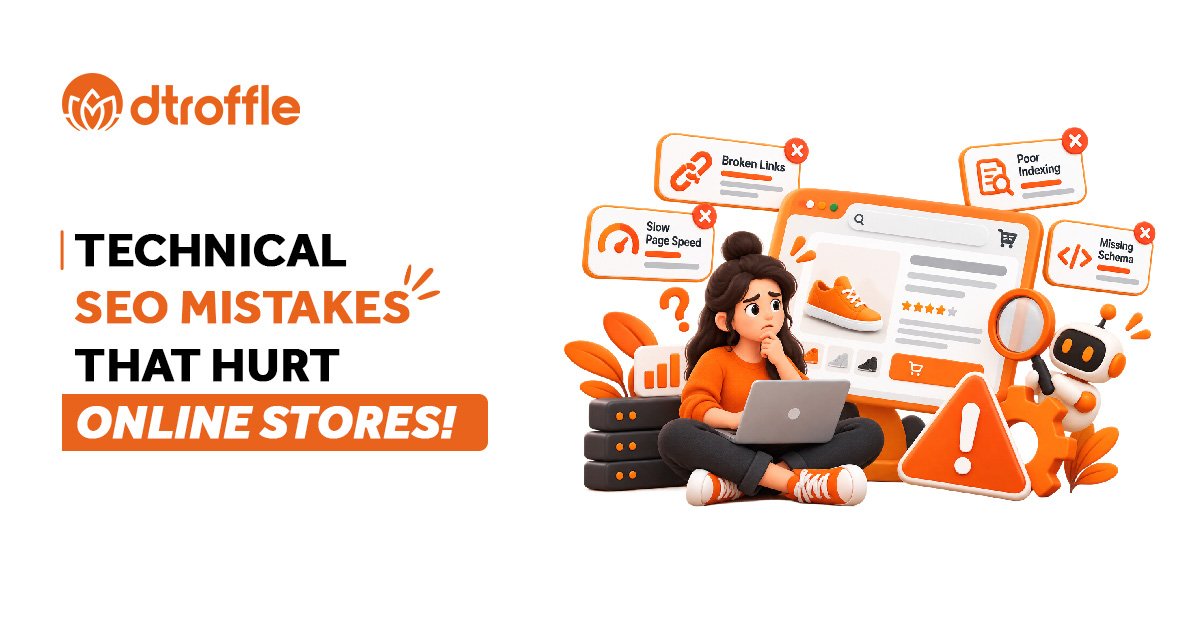

An online store can have great products, competitive prices, and well-written descriptions but still struggle to attract organic traffic. One reason could be technical SEO issues that prevent search engines from discovering, understanding, or properly indexing its pages.
Unlike content-related SEO, technical SEO focuses on how a website functions behind the scenes. For eCommerce websites, this can become complicated because of large product catalogues, changing inventory, product filters, multiple URLs, and frequent updates.
The good news is that many technical SEO problems can be identified through regular audits and fixed with a structured approach. Here are some common mistakes online stores should watch for.
Important Product Pages Are Not Indexed
Search engines need to crawl and index relevant pages before they can appear in organic search results. However, technical settings can sometimes prevent important product or category pages from being indexed.
For example, a newly launched product page might contain a noindex directive accidentally added during development. The page may be accessible to customers but excluded from search results.
How to fix it:
- Use Google Search Console to inspect important product and category URLs.
- Check for accidental noindex directives.
- Review robots.txt rules to ensure important pages are not unintentionally blocked from crawling.
- Confirm that canonical tags point to the intended URLs.
- Include important, indexable URLs in your XML sitemap.
- Remember that allowing crawling does not guarantee indexing. Search engines make their own indexing decisions based on multiple factors.
Duplicate Content Across Product Pages
Duplicate content is a common challenge for online stores, particularly when several products have similar descriptions or when multiple URLs display essentially the same content.
For example, a clothing store might use the manufacturer’s description for every colour variation of a shirt. Product filters may also generate different URLs that display nearly identical listings.
These situations can make it harder for search engines to determine which URL is the preferred version.
How to fix it:
- Write unique descriptions for important products wherever practical.
- Use canonical tags for genuinely duplicate or substantially similar pages when appropriate.
- Review URL parameters created by filters and sorting options.
- Keep product variations organized in a way that supports a clear search strategy.
- Avoid creating unnecessary indexable URLs that offer little unique value.
- Not every similar page needs to be removed or canonicalized. Choose the solution based on how the pages differ and whether they serve distinct search intent.
Slow Loading Speed and Poor Mobile Experience
Online shoppers expect product pages to load quickly and work smoothly on their devices. Slow pages can frustrate users, while poor mobile usability can make browsing and purchasing difficult.
Large product images, unnecessary scripts, excessive third-party apps, and inefficient page templates can contribute to performance problems.
How to fix it:
- Compress product images and use modern formats where supported.
- Remove scripts and apps that are no longer needed.
- Reduce unnecessary redirects.
- Improve server response times and caching where possible.
- Test important templates using Google PageSpeed Insights.
- Review Core Web Vitals to identify loading, responsiveness, and visual stability issues.
- Page speed is only one part of SEO, but improving performance can support a better experience for both shoppers and search engines.
Broken Links and Incorrect Redirects
Product URLs often change when items are discontinued, pages are reorganized, or website platforms are updated. If old URLs are not handled properly, customers and search engines may encounter broken links.
For example, a product linked from a popular category page might return a 404 error after its URL changes.
How to fix it:
- Audit internal links regularly.
- Update links that point to incorrect or outdated URLs.
- Use a relevant permanent redirect when a product URL changes and a suitable replacement exists.
- Redirect discontinued products to a closely related alternative only when it genuinely helps users.
- Avoid redirect chains and redirecting unrelated pages to the homepage.
- A 404 response is not automatically an SEO mistake. If a product is permanently unavailable and no relevant replacement exists, returning a proper 404 or 410 response may be appropriate.
Poor XML Sitemap Management
An XML sitemap helps search engines discover important URLs on a website. However, some online stores include URLs that should not be there, such as redirected pages, non-canonical URLs, or pages marked as noindex.
This can make the sitemap less useful and create confusion during technical audits.
How to fix it:
- Include canonical URLs that you want search engines to index.
- Remove redirected, broken, and non-indexable URLs.
- Keep the sitemap updated as products and categories change.
- Submit the sitemap through Google Search Console.
- Monitor sitemap processing and indexing reports for potential issues.
- A sitemap supports URL discovery, but it does not guarantee that every listed page will be indexed.
Missing or Incorrect Structured Data
Structured data helps search engines understand information on a page. For eligible product pages, product structured data can make a store eligible for enhanced search appearances that may display details such as price, availability, or review information.
Problems arise when markup is missing, incorrectly implemented, or inconsistent with the visible product information.
How to fix it:
- Implement relevant product structured data.
- Ensure product names, prices, currency, and availability match the page.
- Include ratings and reviews only when they meet Google’s requirements and accurately reflect visible content.
- Validate the markup using Google’s Rich Results Test.
- Monitor relevant reports in Search Console.
- Structured data does not guarantee enhanced search appearances or higher rankings, but accurate implementation helps search engines interpret product information.
Complicated Website Structure and Weak Internal Linking
When important products are buried under too many navigation levels or receive very few internal links, users may struggle to find them. Search engines may also have difficulty discovering some pages.
For example, a valuable product might only be accessible through an internal search feature and have no links from relevant category pages.
How to fix it:
- Organize products into clear, logical categories.
- Link important products from relevant category pages.
- Add breadcrumbs to support navigation.
- Use descriptive internal anchor text where it fits naturally.
- Review orphan pages that have no internal links pointing to them.
- Keep navigation useful rather than adding unnecessary category levels.
- A clear site structure helps shoppers find products and gives search engines better paths through the website.
Incorrect Handling of Filtered and Out-of-Stock Pages
Filters for size, colour, price, and brand can create many URL combinations. If all these URLs are crawlable and indexable, they may generate unnecessary pages with overlapping content.
Out-of-stock products can create another challenge when pages are deleted immediately, even if they have existing search traffic or backlinks.
How to fix it:
- Review which filtered pages have meaningful search demand and unique value.
- Control unnecessary URL combinations and crawling where appropriate.
- Use canonical tags carefully when filtered pages duplicate another page.
- Keep temporarily unavailable products live when the page remains useful, clearly showing availability and relevant alternatives.
- For permanently discontinued products, decide whether to retain the page, redirect it to a genuinely relevant replacement, or return a 404/410 response.
- The right approach depends on the page’s purpose, availability status, and value to shoppers.
Conclusion
Technical SEO problems can quietly limit an online store’s organic search performance. Issues with indexing, duplicate URLs, website speed, redirects, sitemaps, structured data, and site architecture can make it harder for search engines to discover and understand important pages.
Start by auditing your most valuable product and category pages. Fix critical crawling and indexing issues first, then address performance, internal linking, and other technical problems based on their likely impact.
A technically sound website gives your products a better opportunity to appear in search results and makes it easier for shoppers to find what they need.