

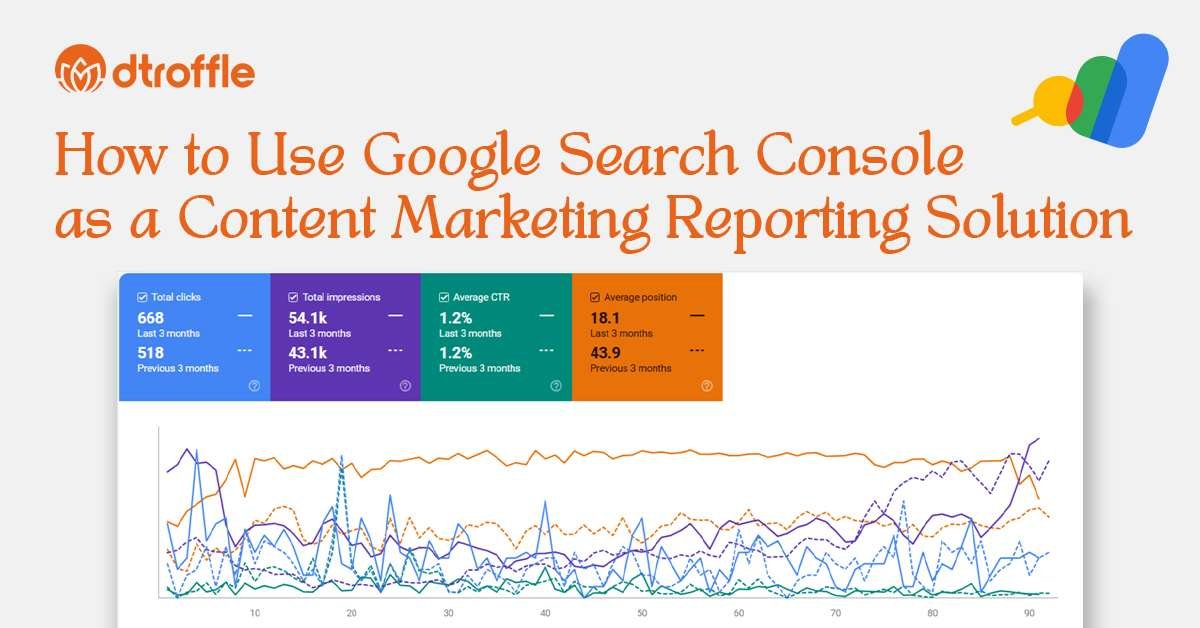
If your content strategy depends on organic traffic (and honestly, whose doesn’t?), Google Search Console (GSC) is one of the most powerful tools you can use. Most marketers think of it only as a technical SEO dashboard, but the truth is: GSC is also an amazing content marketing reporting tool.
It shows you how people discover your content, which topics searchers actually care about, and where you’re missing out on easy wins. Think of it as the “before-the-click” half of your content performance data.
In this guide, I’ll walk you through how to use GSC as a content marketing reporting platform, how to read its data, and how to turn those insights into smarter optimization decisions.
Why Google Search Console Matters for Content Marketing Reporting?
Here’s the thing: GA4 shows you what users do after they land on your site. Google Search Console shows you what happens before they land.
And that’s gold for any content marketer.
GSC helps you:
- See which queries bring traffic to your blogs and landing pages
- Understand how visible your content is in Google Search
- Spot pages that are ranking well but not getting enough clicks
- Discover new content ideas based on real search behavior
- Measure how your optimizations impact impressions, clicks, and CTR
Once you start treating GSC as part of your content marketing reporting system instead of just an SEO tool, it becomes one of the most reliable sources for editorial planning.
How to Use Google Search Console (GSC) for Content Reporting?
Google Search Console (GSC) is essential for understanding how your content performs in Google Search. Pairing GSC with GA4 gives you a full SEO + engagement view.
Also Learn: How to use GA4 as a content marketing reporting tool?
1. Check Your Top-Performing Queries: See which keywords your content ranks for and which queries bring clicks.
2. Analyze Page Performance: Analyze page performance by closely reviewing key metrics to identify opportunities for improvement. Focus on pages that receive high impressions but have a low click-through rate (CTR), as these may require more compelling titles or meta descriptions. Also, monitor high-ranking pages that are experiencing a decline in traffic, which could indicate increased competition or outdated content. Additionally, identify pages that would benefit from refreshed content, improved keyword targeting, or stronger meta descriptions to enhance visibility and engagement.
3. Monitor Indexing Issues: Monitor indexing issues by regularly checking that all your key website assets are properly indexed and discoverable by search engines. This includes ensuring that blogs, landing pages, and resource pages are accessible, free from crawl errors, and appearing in search results. Timely identification of indexing problems helps prevent visibility loss and ensures your content reaches the intended audience.
4. Track SEO Growth Over Time: Track SEO growth over time by using the Search Performance report to consistently evaluate key metrics such as clicks, impressions, click-through rate (CTR), and average position. Monitoring these indicators helps you understand how your website’s visibility and rankings are evolving. When this data is connected with GA4, it provides a comprehensive, 360-degree view of content performance-linking search visibility with on-site user engagement and behavior.
Create a Monthly Content Marketing Reporting Framework
Use this repeatable structure inside GA4 + GSC:
1. Top Content Report:
- Top 10 pages by traffic
- Top 10 pages by conversions
- Top pages by engagement time
2. Channel Performance Report:
- Sessions, engagement, and conversions by channel
- Compare monthly trends
3. Content Journey Report:
- Funnels from blog → lead forms
- Paths followed by converting users
4. Action Items:
- Pages to update
- Content gaps to fill
- New topics to produce
- CTAs or layouts to test
This framework transforms GA4 from a data tool into a strategic content marketing engine.
Also Read: 7 Content Marketing Reporting Tools for Data That Matters
Why Dtroffle Is the Best Content Marketing Partner?
If you’re looking for a platform that doesn’t just track content performance but actually helps you grow, Dtroffle is built for exactly that.
Here’s why Dtroffle stands out:
1. Data-Driven Content Strategy:
Dtroffle uses GA4, GSC, and analytics automation to identify:
- High-performing content
- Low-performing pages
- Topic opportunities with ROI potential
2. Full-Funnel Content Tracking: From awareness blogs to conversion landing pages, Dtroffle tracks the entire content journey.
3. SEO + Content Expertise: Your content doesn’t just get written-it gets optimized for search, conversions, and long-term performance.
4. Continuous Optimization:
Dtroffle doesn’t stop at publishing. We:
- Monitor performance
- Update content regularly
- Improve rankings and conversions
Dtroffle transforms your content marketing into a predictable, data-driven growth engine powered by GA4 and actionable insights.
Conclusion
Google Search Console is much more than a technical SEO utility. When used thoughtfully, it becomes a powerful content marketing reporting solution that tells you which topics work, how visible your content is in search, and where you should focus your optimization efforts.
By using the Performance report, filters, query and page analysis, and combining GSC with other analytics products, you can turn it into a central content marketing reporting tool within your wider content marketing reporting platform.