

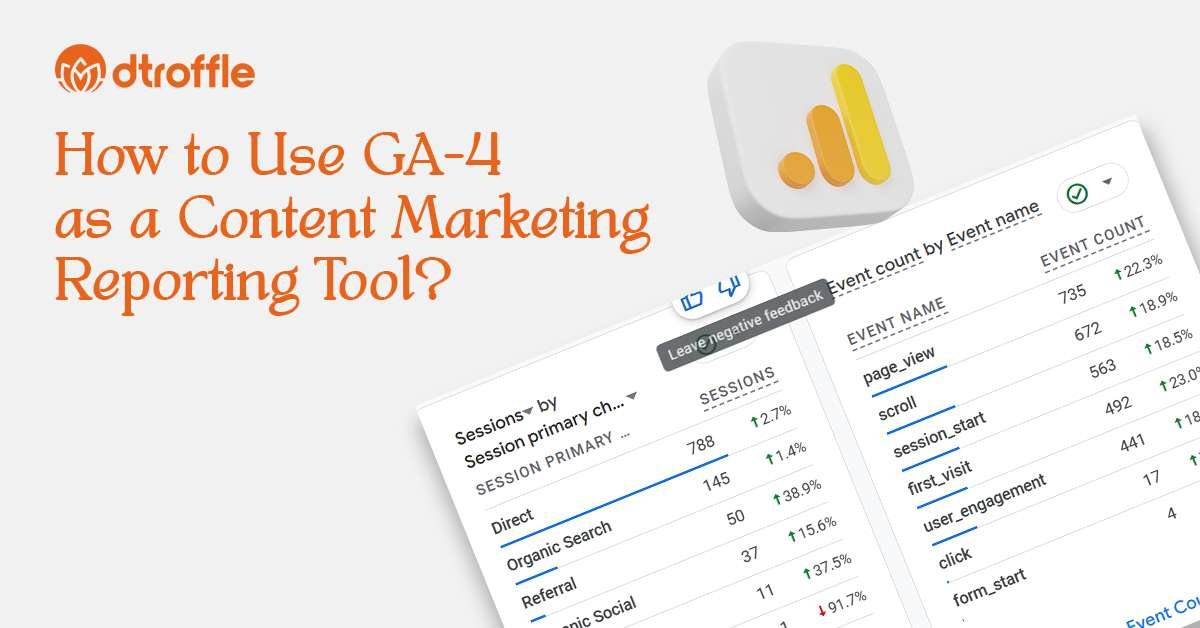
How to use GA 4 as a content marketing reporting tool?: Content marketing only creates real business value when you can clearly measure what’s working and what isn’t. Publishing blogs, landing pages, ebooks, or social posts without tracking their performance is essentially flying blind.
That’s where Google Analytics 4 (GA4) comes in. GA4 gives you deeper insights into how users discover your content, how they interact with it, and what eventually drives them to convert. When used the right way, GA4 becomes a full-funnel content marketing reporting system, helping you move from assumptions to data-backed decisions.
In this guide, you’ll learn how to use GA4 as a complete reporting tool for your content marketing including how to track traffic, engagement, conversions, and overall ROI.
Why Use GA4 as a Content Marketing Reporting Solution?
GA4 is much more than a simple analytics tool for content marketers, it can function as a central measurement hub. With the right setup, GA4 helps you:
- Understand which channels bring the most engaged readers
- Identify your highest-performing blog posts and landing pages
- Track content-driven leads and conversions
- Analyze user journeys across multiple touchpoints
- Build consistent, repeatable content marketing reports for teams or clients
When you integrate GA4 with tools like Google Search Console, Looker Studio, and Microsoft Clarity, it essentially becomes the backbone of your entire content marketing reporting ecosystem.
Also Read: 7 Content Marketing Reporting Tools for Data That Matters
How to Use GA4 for Content Marketing Reporting?
Below is a simplified, structured, and easy-to-follow version of all the steps. Each section is concise, clearly divided, and skimmable ideal for blogs and SEO.
Step 1: Set Up GA4 for Accurate Content Reporting
A strong reporting setup starts with getting GA4 configured correctly:
1. Verify Your GA4 Property:
Make sure your GA4 tracking is active on all key content areas:
- Blog posts
- Landing pages
- Lead magnets (ebooks, checklists, webinars)
2. Define Your Content Goals
Decide what you want your content to achieve, such as:
- Newsletter sign-ups
- Lead form submissions
- Ebook or template downloads
- Demo or consultation requests
Set these goals as conversions in GA4 to measure true business impact.
3. Use Consistent Naming
Align naming across:
- Events
- Parameters
- UTMs
- Campaigns
Clean naming prevents confusion and keeps reports accurate.
Step 2: Track the Right Events
GA4 is built around events, making it flexible for content marketing analytics.
Useful events include:
- page_view: Default page tracking
- scroll: Track scroll depth (50%, 90%)
- file_download: For resources and guides
- generate_lead: For form submissions
- click_cta: For high-intent buttons
Once added, mark your most important events as conversions to see what content drives results.
Step 3: Use GA4 Reports to Measure Content Performance
GA4’s standard reports give a strong foundation for content analytics.
1. Pages & Screens Report
Shows:
- Most-viewed pages
- Engagement time
- Conversions per page
Great for identifying top-performing content.
2. Traffic Acquisition Report
Reveals which channels bring engaged readers:
- Organic Search
- Social
- Paid campaigns
- Referral sources
Useful for understanding which sources convert best.
3. User Acquisition Report
Shows which first-touch sources bring new audiences who later engage and convert.
Step 4: Build Explorations for Deeper Insights
Explorations allow for custom, advanced content reporting.
1. Content Funnel Exploration
Visualize the full journey: Blog View → CTA Click → Form View → Lead Submission
Break down results by:
- Channel
- Campaign
- Content type
2. Path Exploration
See what users do after reading a key article:
- Visit another blog?
- Go to pricing?
- Exit?
Great for improving internal linking and CTAs.
3. Segment Comparisons
Compare:
- New vs returning users
- Organic search vs social readers
- Audiences from different regions
Helps refine targeting and editorial planning.
Step 5: Connect GA4 With Supporting Tools
Enhance GA4 reporting by integrating:
- Google Search Console: SEO + engagement insights
- Looker Studio: Create shareable dashboards
- Microsoft Clarity: Heatmaps and session recordings
GA4 becomes your data hub, while other tools add visualization and behavioral depth.
Step 6: Build a Simple Monthly Reporting Framework
Create a repeatable structure so GA4 becomes an ongoing reporting system.
1. Top Content Report
- Top pages by views
- Top pages by conversions
- Top pages by engagement
2. Channel Performance
- Sessions, engagement, conversions by channel
- Compare month-over-month growth
3. Content Journey Insights
- Funnel performance
- Paths taken by high-intent users
4. Action Items
- Pages to update
- Topics to expand
- CTAs/layouts to test
Repeating this monthly helps GA4 act as a reliable content reporting tool rather than just a traffic dashboard.
Best Practices for Using GA4 as a Content Marketing Reporting Tool
To get the most value from GA4, it’s important to go beyond basic traffic numbers and focus on the metrics that truly matter. Start by making sure every content piece is tied back to meaningful conversions, not just pageviews. This helps you understand what actually drives business growth.
Keep these practical best practices in mind:
- Use custom events and conversions that align with your real business goals
- Maintain clean and consistent UTM parameters so your campaign data stays reliable
- Review both channel-level insights (where users come from) and page-level insights (how they engage)
- Regularly refine or update your GA4 setup as your content strategy expands.
With this approach, GA4 becomes much more than just another analytics dashboard. It turns into an easy-to-understand, actionable reporting system that your entire team can trust for content decisions.
Conclusion
Google Analytics 4 is one of the most valuable tools you can use to measure the real impact of your content. With the right setup, GA4 makes it easy to see which topics, pages, and channels are genuinely driving engagement, leads, and revenue.
By tracking meaningful events, using built-in reports, creating custom explorations, and connecting GA4 with other reporting tools, you can transform your content marketing into a fully data-driven system. Instead of guessing what works, you’ll have clear insights that help you create better content, make smarter decisions, and fuel long-term growth.